Social Icons

Pages

Featured Posts

Friday, 27 February 2015

Report: Gmail's new Android app to support Yahoo, Outlook

Gmail may be soon be a lot better at managing your email.

The Android version of the app will be updated in the coming weeks with support for Outlook, Yahoo and other types of non-Gmail email accounts, according to a report from Android Police.

See also: The 5 Best Email Apps for Power Users

The update, expected to coincide with the launch of upgraded operating system Android Lollipop, will allow users to sync non-Gmail accounts with the app for the first time, according to a video Android Police says is from the upcoming app. The video shows users accessing multiple types of email accounts, including Yahoo and Outlook, from within Gmail.


Gmail's upcoming Android app will reportedly support Outlook, Yahoo and other types of non-Gmail email accounts.

Image: Android POlice

It appears that switching between Gmail and non-Gmail accounts will work much the same way as navigating between different Google accounts within the current app. The video also shows off Gmail's new Material Design-focused look, with new avatars, icons and menu styles. Material Deign is Google's new design language, revealed alongside Android Lollipop at Google I/O earlier this year.

It's an interesting move for Google, which until now has focused on users of its own email platform. But opening up the Gmail app to other types of email accounts could potentially draw thousands of new Android users who don't use Gmail for either work or personal accounts to the app.

It's not clear when, or if, a similar update may come to the iOS version of Gmail but Google typically rolls out major updates to its Android apps before bringing them to iOS.

Have something to add to this story? Share it in the comments.


Wednesday, 25 February 2015

What you need to know about HTTP/2

Look at the address bar in your browser. See those letters at the front, "HTTP"? That stands for Hypertext Transfer Protocol, the mechanism a browser uses to request information from a server and display webpages on your screen. A new version of the reliable and ubiquitous HTTP protocol was recently published as a draft by the organization in charge of creating standards for the internet, the Internet Engineering Task Force (IETF). This means that the old version, HTTP/1.1, in use since 1999, will eventually be replaced by a new one, dubbed HTTP/2. This update improves the way browsers and servers communicate, allowing for faster transfer of information while reducing the amount of raw horsepower needed.

Why is this important?

HTTP/1.1 has been in use since 1999, and while it's performed admirably over the years, it's starting to show its age. Websites nowadays include many different components besides your standard HTML, like design elements (CSS), client-side scripting (JavaScript), images, video and Flash animations. To transfer that information, the browser has to create several connections, and each one has details about the source, destination and contents of the communication package or protocol. That puts a huge load on both the server delivering the content and your browser.


All those connections and the processing power they require can lead to slowdowns as more and more elements are added to a site. And if we know nothing else, it's that people can be quite impatient. We've come to expect blazing-fast internet and even the slightest of delays can lead to hair pulling and mumbled swears. For companies, a slow website can translate directly into lost money, especially for online services where long load times mean a bad user experience.
People have been searching for ways to speed up the internet since the days when dial-up and AIM were ubiquitous. One of the more common techniques is caching, where certain information is stored locally as opposed to transferring everything anew each time it's requested. But others have resorted to tricks like lowering the resolution of images and videos; still others have spent countless hours tweaking and optimizing code to cut just milliseconds from their load times. These options are useful, but are really just Band-Aids. So Google decided to dramatically overhaul HTTP/1.1 and create SPDY; the results have been impressive. In general, communication between a server and a browser using SPDY is much faster, even when encryption is applied. At a minimum, the transfer speed with SPDY can improve by about 10 percent and, in some cases, can reach numbers closer to 40 percent. Such has been the success of SPDY that in 2012 the group of Google engineers behind the project decided to create a new protocol based on the technology, and that started the story that leads us to the current HTTP/2 draft.
What is a protocol?
You can think of a protocol as a collection of rules that govern how information is transferred from one computer to another. Each protocol is a little different, but usually they include a header, payload and footer. The header contains the source and destination addresses and some information about the payload (type of data, size of data, etc.). The payload contains the actual information, and the footer holds some form of error detection. Some protocols also support a feature called "encapsulation," which lets them include other protocols inside of their payload section.


You can think of it like sending a letter using snail mail. Our protocol in this case would be defined by the USPS. The letter would require a destination address in a specific format, a return address and postage. The "payload" would be the letter itself and the error detection is the seal on the envelope. If it arrives ripped and without a letter, you'd know there was a problem.


Why is HTTP/2 better?

In a few words: HTTP/2 loads webpages much faster, saving everyone time that otherwise would go to waste. It's as simple as that.

The example below, published by the folks over at HttpWatch, shows transfer speeds increasing more than 20 percent, and this is just one test with web servers not yet fully optimized (the technology will need some time to mature for that). In fact, improvements ofaround 30 percent seem to be common.


Example of HTTP page load speed (above) against HTTP/2 (below)


HTTP/2 improves speed mainly by creating one constant connection between the browser and the server, as opposed to a connection every time a piece of information is needed. This significantly reduces the amount of data being transferred. Plus, it transfers data in binary, a computer's native language, rather than in text. This means your computer doesn't have to waste time translating information into a format it understands. Other features of HTTP/2 include "multiplexing" (sending and receiving multiple messages at the same time), the use of prioritization (more important data is transferred first), compression (squeezing information into smaller chunks) and "server push," where a server makes an educated guess about what your next request will be and sends that data ahead of time.

So when will we get to enjoy the benefits of HTTP/2?

There's no real start date for the use of HTTP/2, and many people may already be using it unknowingly. The draft submitted on February 11th will expire in six months (August 15th, to be precise). Before expiring, it has to be confirmed and become a finished document, called an "RFC," or a new draft with changes has to be published.
As a side note, we should mention that the term "RFC" comes from "Request For Comments," but it's really a name for a finalized document used by the IETF. Also, an RFC is not a requirement, but more of a suggestion of how things should be designed. (Confusing right?) However, for a protocol to work properly, everyone has to follow the same rules.


The HTTP/2 technology is already baked into many web servers and browsers, even if it's still just a draft. For example, Microsoft supports HTTP/2 on Internet Explorer under the Windows 10 Technical Preview; Chrome also supports it (while it's disabled by default, you can easily enable it); and Mozilla has had it available since Firefox Beta 36.
If we talk about web servers, you should know that IIS (the Windows web server) already supports HTTP/2 under Windows 10 and it's expected that Apache and Nginx will offer support very soon (SPDY is already supported through extensions). This means that sooner, rather than later, we will all be using HTTP/2. And chances are you won't even realize it when the switch is made unless you're in the habit of timing load times for your favorite sites. Plus, you'll still just see "http" or "https" in the address bar, so, life will continue as usual, but a bit faster.


[Image credits: Shutterstock (Server rack); HttpWatch (Benchmark charts)]
Source: http://www.engadget.com/2015/02/24/what-you-need-to-know-about-http-2/

Tuesday, 24 February 2015

Google Tests Live Chat With Businesses From Search Results

Google is testing out a service that incorporates live chat with businesses right into search results, via a new link that shows whether a business is currently available, and immediately launches a chat via Google Hangouts (on either desktop or mobile) if they are. The service resembles Path Talk’s direct messaging platform with local businesses, but incorporates its service right into the business listing search result card it shows on Google.com, which also shows you details including price level, address, map location, phone number, opening hours, ratings and reviews.
We’ve confirmed via a Google spokesperson that this is indeed an experimental feature the company is testing, which was originally spotted by Matt Gibstein who shared screens on Twitter earlier today. The new experimental chat feature offers a direct text-based line of communication, in this case with a restaurant, so that you could theoretically ask if it’s currently busy, if there’s a reservation available, or menu-specific queries, for example, and receive an answer in real-time. This is the premise behind the aforementioned Path Talk, which was a service Path added to its dedicated messenger to help separate its offering from the sea of mobile messaging apps currently available.
Path Talk’s launch last September stemmed from its acquisition of business text message service TalkTo, and offers an overview of local businesses using the service displayed on a map screen, allowing users to see a list, including online status information, so they know which businesses they can talk to currently. The free service eliminates the need for a phone call for activities like checking for in-stock inventory, making an appointment or making reservations.


Google’s test service appears to offer the same conveniences, including an estimated time for response, but using listings on Google’s own extensive existing index of places. Of course, Google launching its own version of Path Talk would be bad news for the smaller company, especially if Google made this available via things like Google Maps in addition to directly in search results. It’s still very early at this stage, however, and there’s no guarantee it’ll ever become a full-fledged offering with general availability. Still, with messaging of increasing importance to businesses everywhere, it’s a smart area for the search giant to explore.

Sunday, 22 February 2015

LG Reveals Four Mid-Range Smartphones For Those On A Tight Budget

LG had a good 2014, posting record quarterly shipments and doubling its annual profits. The company released some eye-catching smartphones (and smartwatches), but much of its success came down to solid, affordable mid-range devices.
With Mobile World Congress, the telecom industry’s biggest event, taking place next week, LG has revealed four new mid-range products ahead of time that will be important for its continued success in 2015.
The devices range from four-inches (Joy), to 4.5-inches (Leon), 4.7-inches (Spirit), and five-inches (Magna). Each is available in 3G and LTE flavors.
The three larger phones are all powered by a 1.2GHz chip (3G models) or 1.3GHz quad-core chip (4G versions) with Android (5.0) Lollipop installed out of the box. The main difference is each one’s camera and battery capacity.
The LG Magna, Spirit and Leon each offers an eight-megapixel rear camera, which drops to five-megapixels on the 3G model. The Magna packs the highest quality front-facing camera (five-megapixels), followed by the Spirit (one-megapixel) and Leon (VGA camera).


The Joy is the entry-level model, with a choice of 1.2GHz quad-core or 1.2GHz dual-core processors, and a five-megapixel rear camera and front-facing VGA on both versions.
LG often debuts new features and design ideas with its high-end devices first. True to form, a number of settings from its top phones made their way into this mid-range line-up, including the hand-triggered selfie timer ‘gesture shot’, and ‘glance view’ for pulling up important notifications.
There is no confirmed price for the phones at this point, but you can be sure they will be significantly cheaper than the likes of Apple’s iPhone and Samsung’s soon-to-arrive Galaxy S6. The four new LG phones will begin hitting the retail market in “selected” countries from this week, the Korean company said.
“For millions of consumers around the world, the deciding factor on which smartphone to buy isn’t how fast or how big it is but how balanced it is. With our new mid-range smartphones, more and more customers will be looking to LG for their next handsets,” commented Juno Cho, head of LG Mobile, in a statement.


Friday, 13 February 2015

Here’s Why Your Windows Phone Might Not Be Able To Run Windows 10 — Yet

Windows 10 is out for Windows Phone devices. That’s wrong. Windows 10 is out in preview for Windows Phone devices. Wait, that’s wrong, too. One more try. Windows 10 is out in preview for a subset of Windows Phone devices that currently run Windows 8.1. There we go.
If you have a Lumia 630, 635, 636, 638, 730 or 830, and are running Windows 8.1, you can get the new code from Microsoft. If you, like me, are sitting with a charged Lumia 9xx device, you are probably wondering what you did wrong.

Microsoft promises that it will support more phone models with “each new build” of the code, so your time in the cold might be short. That said, Microsoft cites two technical reasons why the first crop of support phone SKUs is so constrained .

The enthusiast community will likely whine some at the exclusions, but provided that Microsoft can quickly roll out updates to the code and bring more devices into the fold, the whining should be short-lived.
Now the game is afoot: Microsoft is betting the soul of its principle platform on the idea that it can build a single operating system for devices of all sorts, screens of all sizes, and inputs of any variety. What you can’t say is that the vision is small.


#source http://techcrunch.com/2015/02/12/heres-why-your-windows-phone-might-not-be-able-to-run-windows-10-yet/

Saturday, 31 January 2015

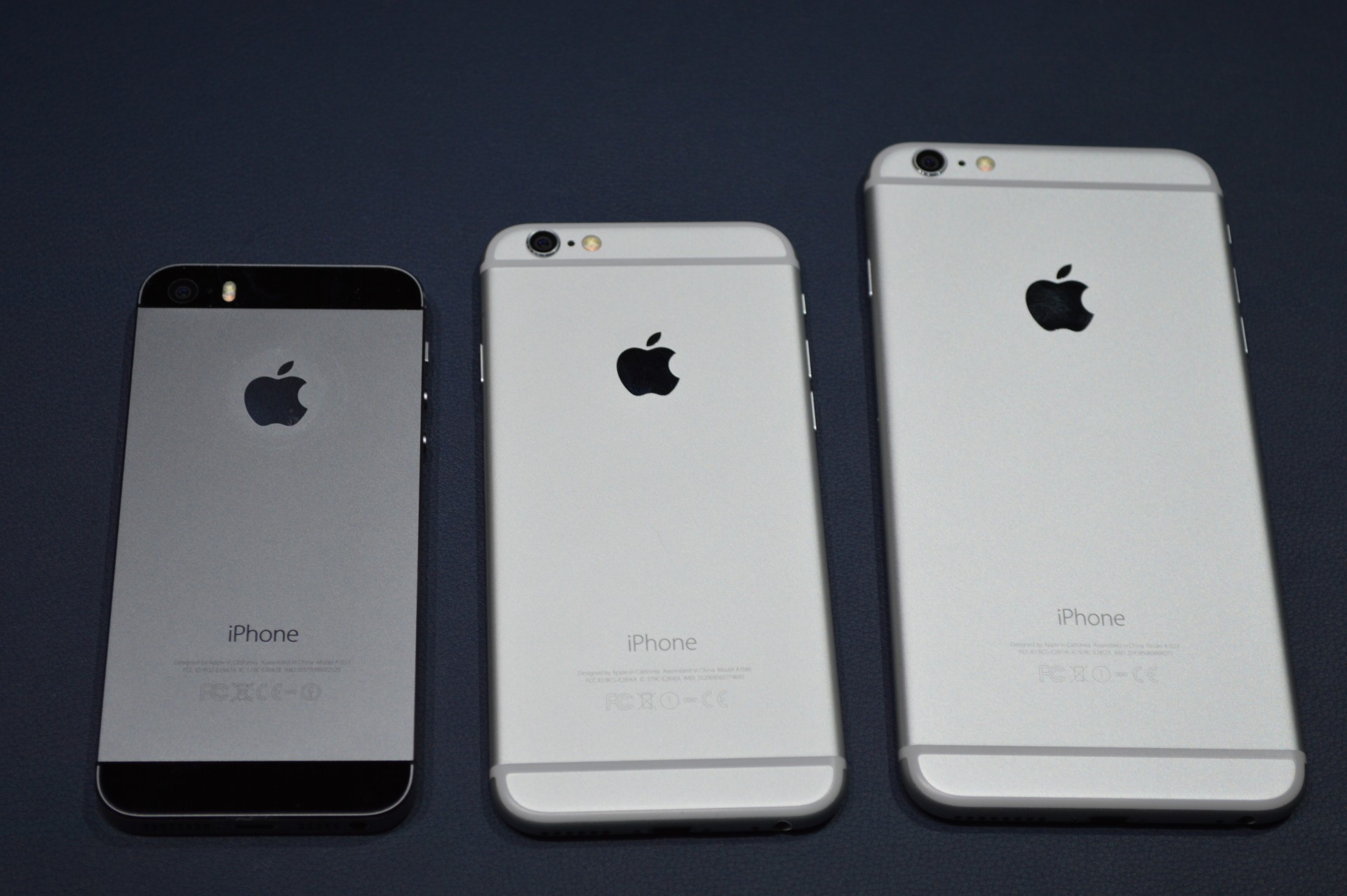
TC AppleCast 3: Apple Sells All The iPhones

It’s a very special episode of the TechCrunch AppleCast, as we’re joined by Jackdaw Research founder and Chief Analyst Jan Dawson, who offers some context around Apple’s huge earnings success reported earlier in the week. Dawson joins Darrell Etherington and Kyle Russell to explain just how Apple managed to sell 74.5 million iPhones in a single quarter, and to discuss some possible causes of the iPad’s flat growth.

We also talk about what the iPad category might look like in the future, as well as how Apple has changed the way it reports the financial performance of its retail operations, and why it might’ve done that as a result of the retail plans it has for the Apple Watch. Speaking of the Apple Watch, Dawson refers to his recent Smartwatch report to explain why battery life will be the thing to watch when the first reviews of the Apple Watch begin to hit the web.

The Apple Watch arrives in April, so we also get into some of the other factors that will be key to that launch, including support from third-party developers.

Feedback via email is appreciated, as always, and be sure to also rate the podcast on iTunes if you feel inclined.


Sunday, 21 December 2014

How Mobile And Social Feeds Government’s Appetite For Innovation

Applications that simply deliver information can be useful, but government agencies are now pushing user engagement to new heights. With 173 million people in the U.S. owning smartphones, citizens are continuously equipped with an Internet connection, GPS functionality and a digital camera.

In fact, the mobile phone has evolved from a simple voice device to a multimedia communications tool capable of uploading and downloading data, text, audio and video while also functioning as a global positioning system, wallet, FM radio, television, alarm clock, thermometer, address book, newspaper, camera and more. Enterprise government apps have the opportunity to take advantage of these basic smartphone attributes.

To help balance workforce productivity with security and compliance risks, just about every agency is looking to set up their own internal app stores to provide access to mobile devices that are issued and managed by the government. Access to the information on these devices is closely monitored and regulated to protect against unauthorized access and apps that could pose a security risk.

As the federal government warms to the idea of bring your own device (BYOD) policies, agency administrators must ensure security and address stringent procurement and policy guidelines.

Whether collecting phone or text logs or location data, one of the initial challenges for federal IT managers will be to ensure the security of their agency’s infrastructure for the increasing number of diverse devices entering the network and accessing this data. They must also focus ways to separate the management and monitoring of job-specific information versus personal content.

Agencies must also focus on app-development strategies to create job- or role-specific apps that not only make it simpler to support compliance requirements, but also encourage use that translates into greater productivity — a key goal of any enterprise mobile initiative. But, agencies don’t have to start from scratch.

Sometimes, reinventing the wheel with your own app might be the wrong way to go, especially if there are familiar and preferable apps already available to your audience that accomplish a similar goal. With any app-development strategy, the user experience must be a focal point. Being open to ideas and engaging with other departments in the design and functionality of the app will be key.

Hackathons or other events can also bring developers and designers together to work on creative solutions to civic challenges. These events often encourage developers to create applications, either for use by the public, or to help government employees solve specific challenges.

Open data and mobile apps are changing the government-citizen relationship. Creative ideas like 311 apps and mobile public transportation payment systems, along with a movement toward open and transparent data, have spawned a new era of government-citizen interaction.

Putting open data and mobile technology to use, IBM recently announced a humanitarian initiative with the government of Sierra Leone to use SMS and voice calls with a citizen and engagement and analytics system to enable citizens to report Ebola issues.

In the U.S., agencies are making use of new mobile innovations, as well. Some examples include a MyTSA app that tracks security wait times at airports, as well as an app that makes it easier for small businesses to apply for licenses and registrations at the Small Business Administration. The Federal Emergency Management Agency (FEMA) mobile app includes disaster safety tips, an interactive emergency kit list, storable emergency meeting locations, and a map with open shelters and open FEMA Disaster Recovery Centers (DRCs).
.
With the right app, Department of Agriculture food inspectors can replace clipboards and laptops with tablets capable of recording and processing complex safety data. And a cache of yet-to-be-developed medical apps are expected to transform the healthcare landscape at government hospitals across the country.

One untapped resource is the 500 million public tweets sent every day. It’s a virtual town hall of people sharing their opinions and preferences. That tsunami of 140-character messages spans the range of human interests and activities — from raves about recent purchases to exhortations to rally behind social causes.

Think about that from a federal agency perspective. You’re the U.S. Forest Service and you start seeing indicators for wildfires. Or you’re the National Park Service and you get early indicators of crowded campgrounds based on tweets. The potential here is endless.

Navigating this land of mobile and social app development can be a challenge, even for government agencies with sizeable budgets and plenty of talented resources. After overcoming the hurdles of planning, development and testing an app, agencies still have to decide how to launch, maintain and drive adoption.

To help spur innovation in this area, we are encouraging and working with the ecosystem that supports the federal government — business partners, academia and entrepreneurs. The goal is to drive rapid development of mobile and web apps that can be built and delivered on the cloud using open data and innovation to solve real-world problems and enhance forms of citizen engagement.

Increased app development collaboration among agencies will accelerate government-wide expertise in mobile, increase focus on the user experience, and prompt agencies to rethink the way data and digital content is created and shared in a wide variety of citizen-centric services.

 
Blogger Templates